


Design flexibly
Direct point entry, text, single and multiple selection as well as mandatory questions support different sheets.
Evaluation forms can be designed with different question types, selection options and evaluation levels. Collected answers can be evaluated in tables, graphics and in the approval context.
| Example criterion | Question type |
|---|---|
| Feature A | Single selection |
| Additional observation | Free text |
| value | Direct point entry |
Different question types adapt the form to your technical criteria.
Function example with synthetic data
Direct point entry, text, single and multiple selection as well as mandatory questions support different sheets.
Answer distributions can be displayed as diagrams for the questions in a sheet.
Reports summarize assessment results by workgroup, permit, test, and sheet.
Several features of an evaluation form are displayed as diagrams with distribution and balance.
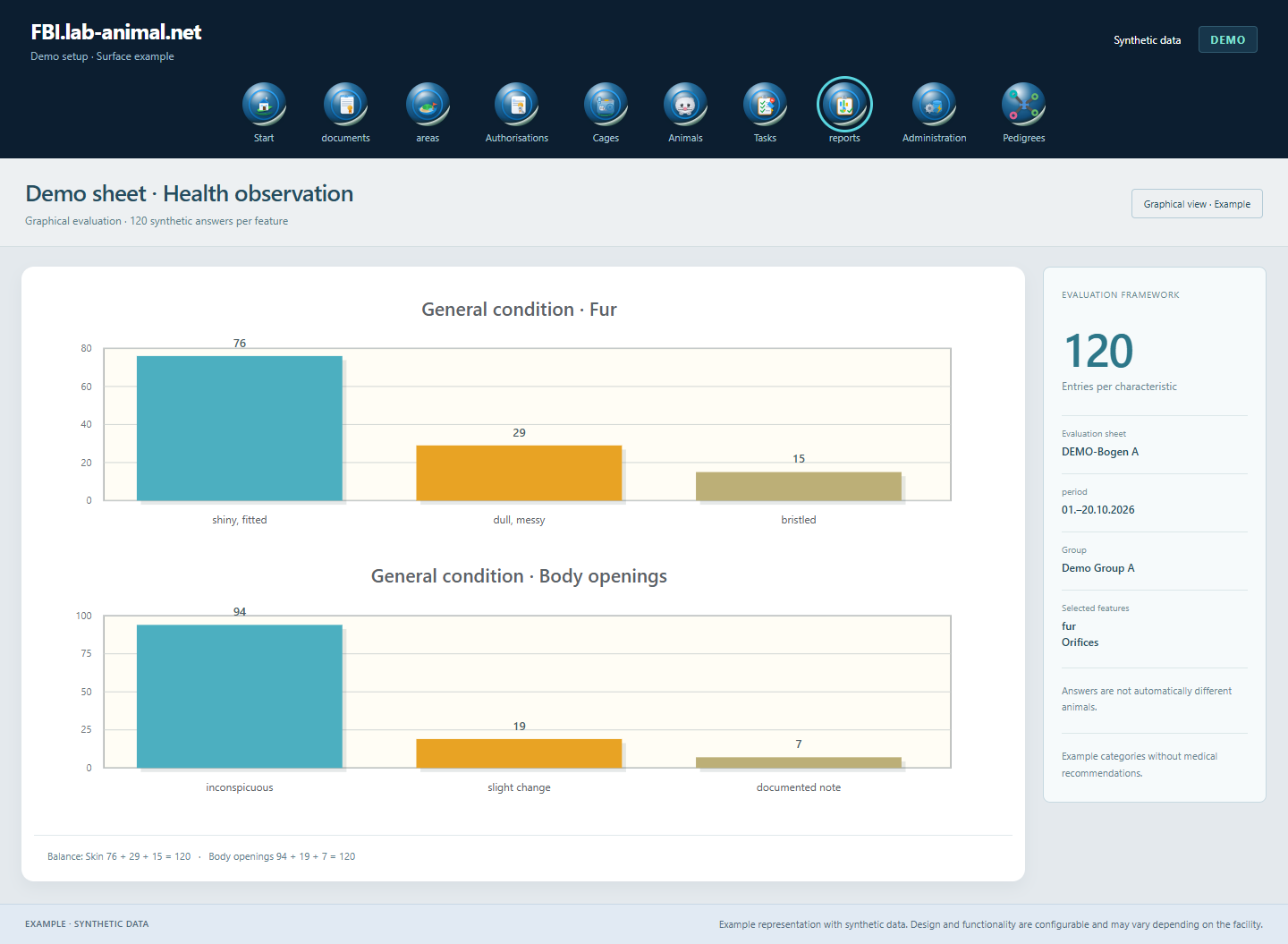
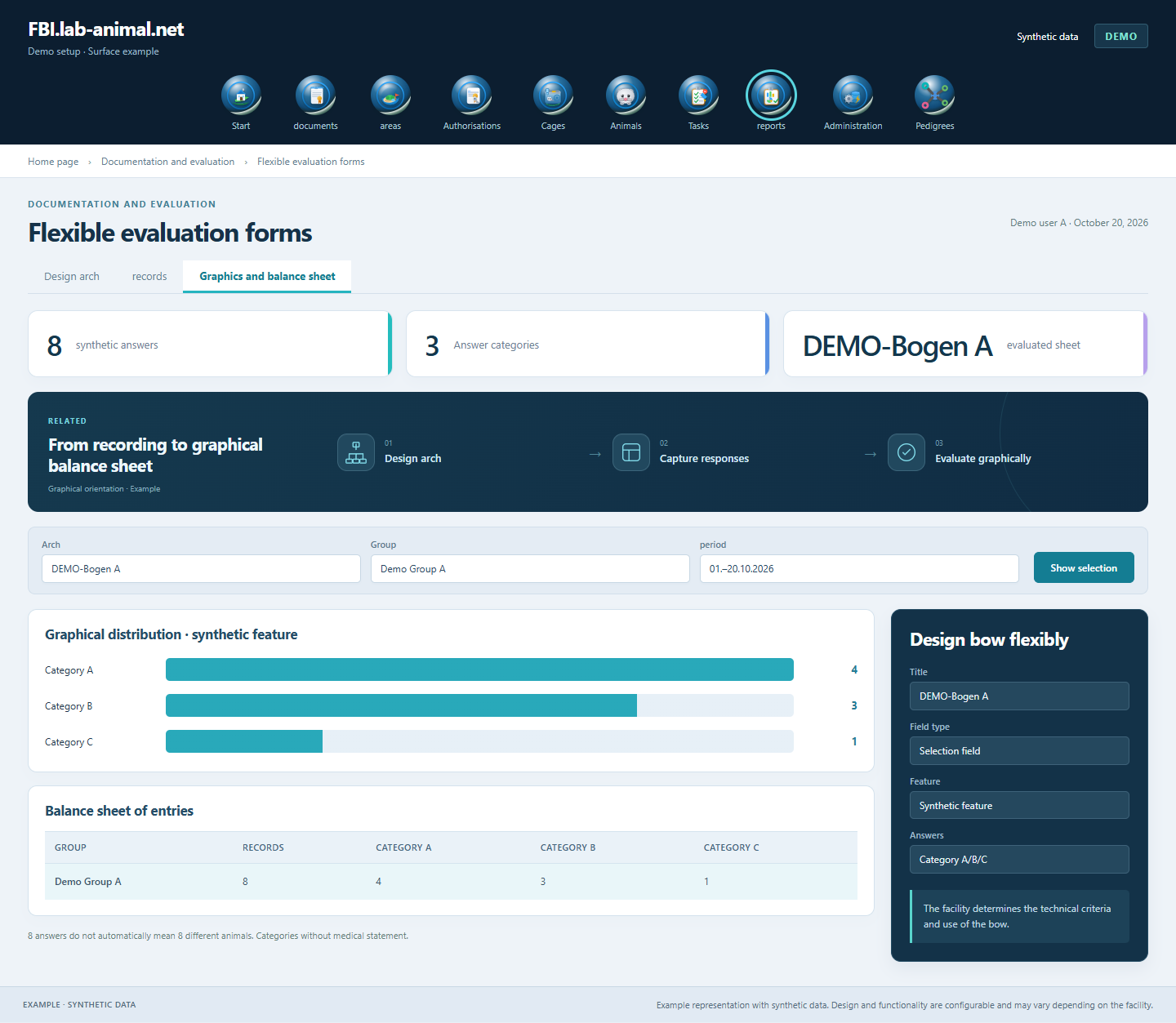
The responsible specialists determine criteria, point values and assessment ranges. The application supports their structured recording and evaluation.
Set questions, answer types and required information.
Technically coordinate selection values and the associated valuation areas.
Use the appropriate sheet in the assigned animal or experimental context.
Classify answer distributions and summarized ratings with their database.
Design sheets to suit your technical criteria and evaluate answers as a table, diagram or summarized balance sheet.
Direct point entry, single-line and multi-line free text as well as single and multiple selection. Questions can be arranged and marked as required.
Diagrams show the answer distributions of individual questions. The balance sheet summarizes results by working group, approval, test and sheet.
The responsible specialists determine questions, point values and assessment areas. The application supports uniform recording and evaluation.
Example representation with synthetic data. Design and functionality are configurable and may vary depending on the facility.
Together we will clarify what scope suits your facility and what the introduction can look like.
Let’s talk