


Overview of stocks
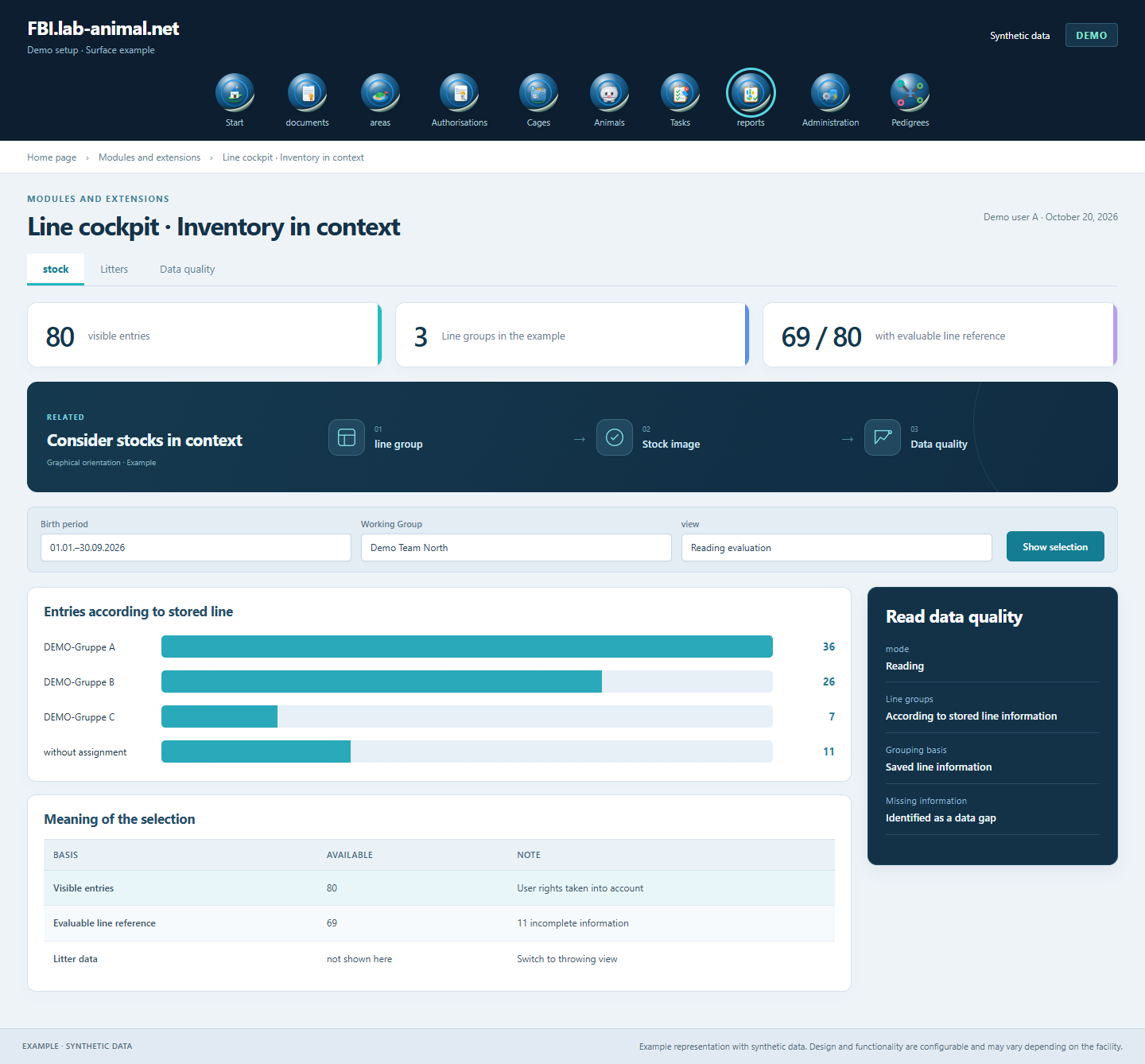
Line groups, active animals and other visible entries are displayed together in the selected period.
The line cockpit makes existing animal and litter data clear - with time period, data coverage and a direct view of the underlying entries.
Example excerpt · January 1st – September 30th, 2026
25 active · 11 more. Date of birth in the selected period.
Example evaluation with synthetic numbers and line names
Line groups, active animals and other visible entries are displayed together in the selected period.
births and weaning records can be viewed over time. Links from diagrams lead to the appropriate animals or litters.
Missing or contradictory information remains visible. The sales rate shows your usable database.
Inventory numbers are presented along with coverage and data quality.
Instead of reading a number in isolation, your team can open the associated data. The existing visibility rights for animals and litters also apply in the evaluations.
A common time period determines the section under consideration.
Read saved line names, inventory and data coverage together.
Switch to the associated visible entries via diagrams and lists.
Evaluate results together with data gaps and the respective time reference.
Overview stock and litter data with time period, data coverage and direct access to the associated entries.
The grouping uses the stored line information. This means that assigned entries can be viewed together and different spellings can be specifically checked.
Births are presented by litter date and weaning records by record date. The active status describes the status during retrieval.
Missing or contradictory information remains visible. Links lead to the affected entries and facilitate technical clarification.
Example representation with synthetic data. Design and functionality are configurable and may vary depending on the facility.
Together we will clarify what scope suits your facility and what the introduction can look like.
Let’s talk