


Simply document
In the basic version, you enter order information in text fields and save it in the database.
The animal order management is available in two versions: a basic version with text fields, the contents of which are saved in the database, and an extended version with order positions, controlled receipt and further use of the information at the animal facility.
The basic version captures order information in text fields and stores it in the database.
Function example with synthetic data
In the basic version, you enter order information in text fields and save it in the database.
The expanded version combines organizational information with specific order items and the expected animals.
Animals actually received are checked and confirmed. Information that has already been recorded is available again for the animal facility.
Order data, actual receipt and conscious confirmation are kept separately.
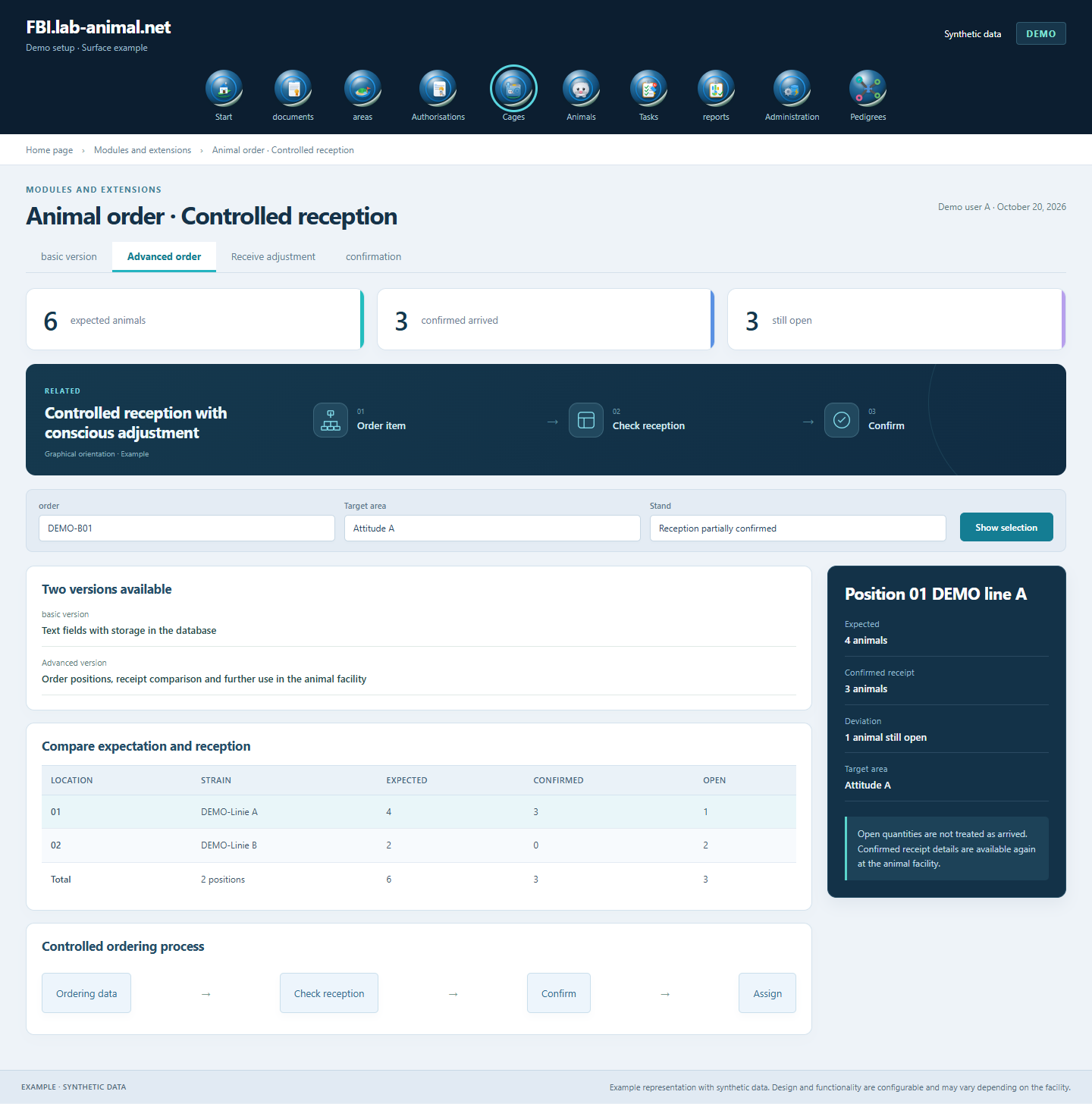
The extended version leads from the order information through the positions to the controlled receipt. Already known data will continue to be used; expected quantities, animals actually received and confirmed animal records remain distinguishable.
Record organizational information and expected arrival.
Record animal information and target area if known; Leave the unknown open.
Compare received animals with expectations and document deviations.
Consciously adopt checked receipt entries; receive the reference to the order.
Choose between a basic version with saved text information and an extended range of functions with order positions, receipt comparison and further use in the animal facility.
Both versions are available: The basic version stores order information from text fields in the database. The expanded version adds structured positions, receipt comparison and the further use of confirmed information in the animal facility.
Confirmed, deferred and deviating receive entries remain distinguishable. The consciously confirmed entries are used for the animal facility.
Already known organizational information and animal information is available at the controlled reception. This reduces duplicate entries.
Example representation with synthetic data. Design and functionality are configurable and may vary depending on the facility.
Together we will clarify what scope suits your facility and what the introduction can look like.
Let’s talk