


Set quotas
The permissible number of individuals is stored for the approved species or the approved strain.
licenses record which species or which strain is approved with how many individuals. Each animal added consumes quota; Before the license expires, warnings indicate the deadline.
| Species / strain | Approved number |
|---|---|
| Mouse / Example strain A | 10 |
| Rat | 20 |
The approved species or strain receives its own quota.
Function example with synthetic data
The permissible number of individuals is stored for the approved species or the approved strain.
Each animal added reduces the remaining quota. If it has been exhausted or the license has expired, further additions are prevented.
Warnings before expiration help to clarify an extension or further action in a timely manner.
Approved quantities, consumption and runtime warning are visible together.
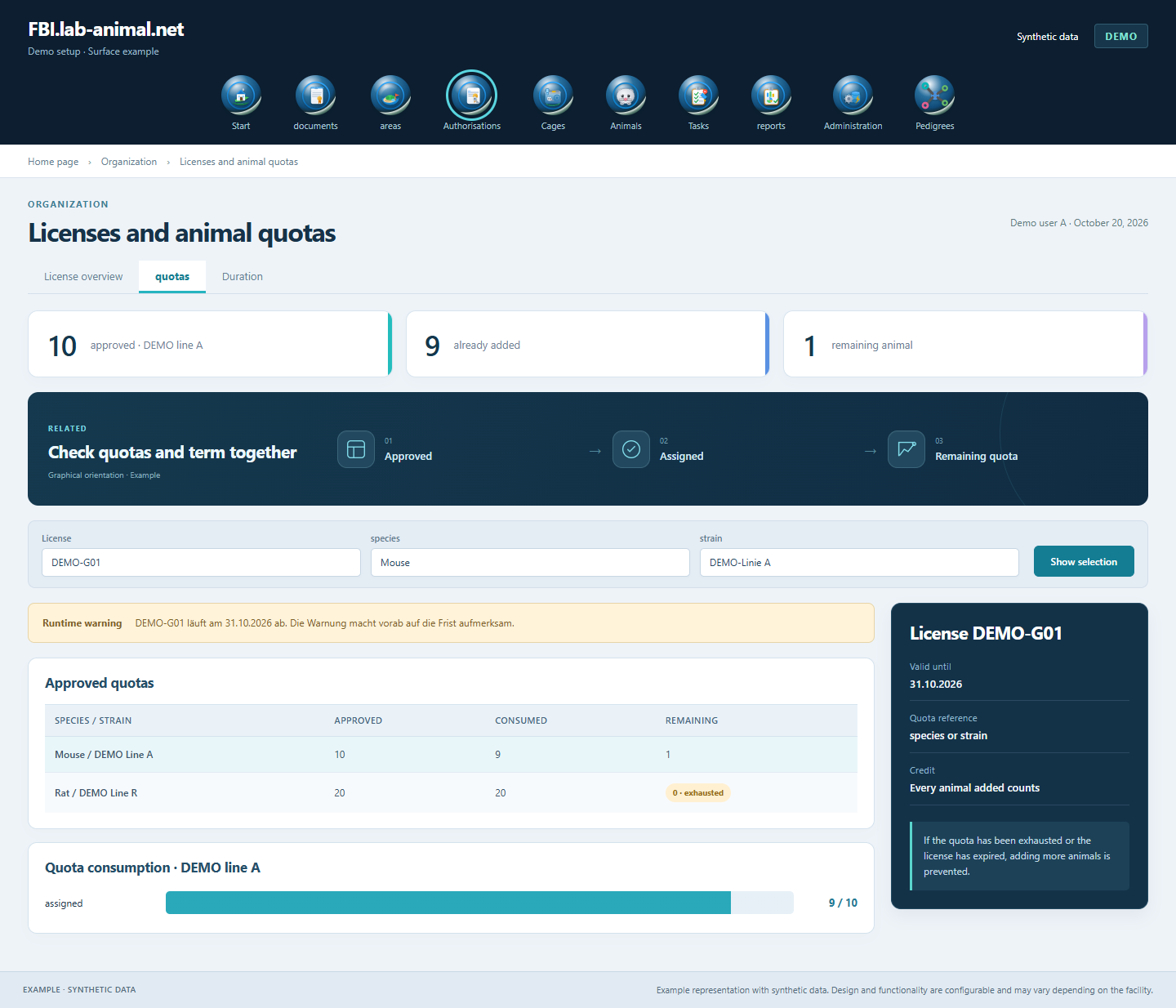
Approved quantities, already assigned animals and the term belong together. The application takes these limits into account when adding another animal.
Record the file number, duration, responsible persons and working groups involved.
Assign species or strain and the approved number of individuals.
Each assignment is counted towards the total quota and reduces the number still available.
No further animals can be added once the quota is exhausted or the authorisation has expired. Warnings notify you before the expiry date.
Quotas, durations and animal assignments support an overview of your permits. Alerts help to process deadlines in a timely manner.
This refers to the technical approval for a project. It is to be distinguished from a software usage license.
Once the approved number of individuals is reached, the application prevents additional animals from being added to this license.
Warnings are issued before expiration. Once the license has expired, no more animals can be added to it.
It is recorded which species or which strain was approved with how many individuals. Each animal added counts towards the associated quota.
Example representation with synthetic data. Design and functionality are configurable and may vary depending on the facility.
Together we will clarify what scope suits your facility and what the introduction can look like.
Let’s talk